Put your most important search terms front and centre
Your search bar opens hundreds of times a day. What it shows first is a merchandising decision.
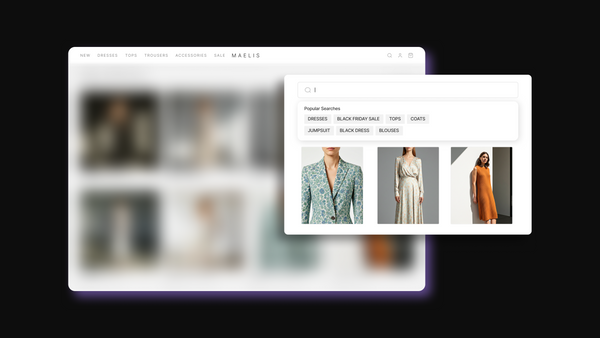
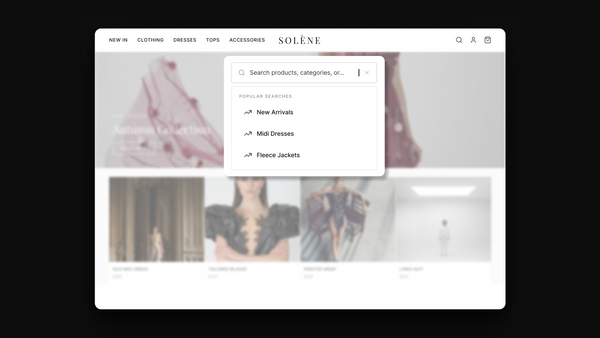
Pinned Searches lets you place specific terms at the top of the search suggestions panel, above everything else. A new collection, campaign keyword, easonal category, or product launch. You pin the term, set the order, and it stays there until you change it.
Your search bar becomes a merchandising touchpoint, not just a text field.
Commitment
Built For
Control
Integration
Value
Solution
Pin a new collection name before shoppers know to search for it
Push a sale keyword to the top of suggestions during a promotional period
Keep a seasonal category visible in search throughout its peak window
Reorder pinned terms to match shifting priorities across a sale
Trusted by fashion brands worldwide
You may also like
Features that work beautifully together


Popular Searches
The most searched terms on your store, surfaced automatically from rolling 30-day data


Predictive Search
Surface relevant products and searches while shoppers type


Search Accuracy
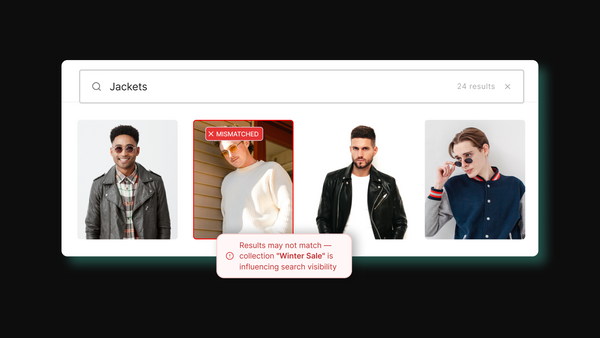
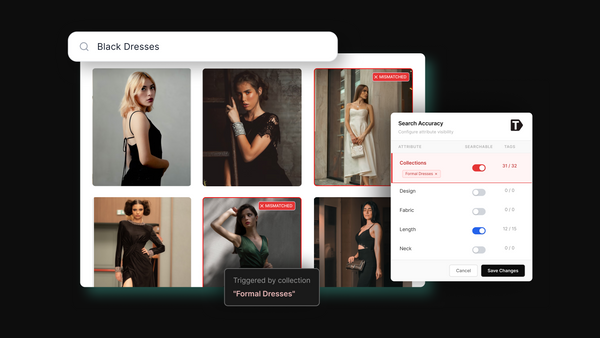
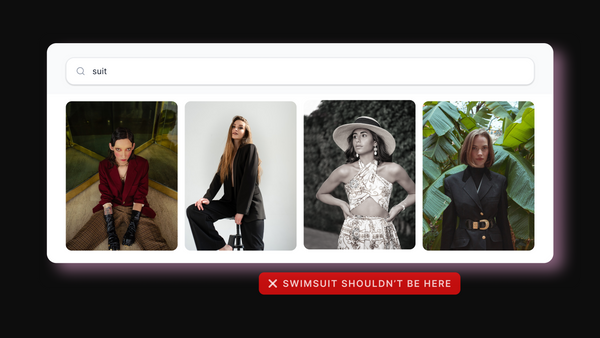
Fix inaccurate search results at the index level, not query by query


Refine Search Results
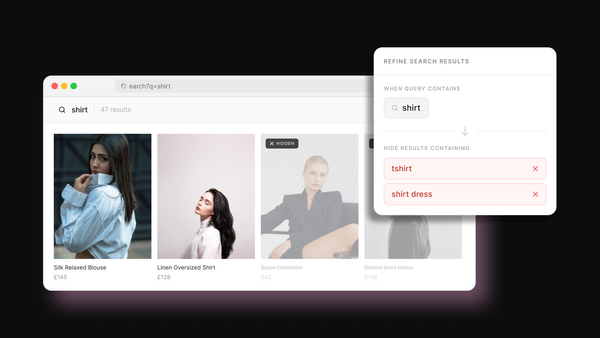
Exclude products that appear in search for the wrong reasons - no catalogue changes, no code.
Hear from our customers
Vanja S
Head of eCommerce & Digital
Rocky Matsuura
Head of eCommerce & Digital
Rafaelle C.
eCommerce Manager
Ryan R
Digitial Optimisation Manager
Maria M
E-Merchandiser & Content Manager
Alex Harley
Head of eCommerce
Natasha de Weerd
eCommerce CX Manager
Common questions
Everything you need to know
Tagalys Pinned Searches are specific search terms you place manually at the top of the search suggestions panel on your Shopify store. They appear above Popular Searches for every shopper who opens the search bar, before they have typed anything. You choose the terms, set the order, and they stay pinned until you change or remove them. This makes Pinned Searches an editorial merchandising tool for search, not just a configuration setting.
Pinned Searches appear in the search suggestions panel that opens when a shopper clicks or taps on the search bar before typing anything. They sit above Popular Searches and below any Recent Searches a returning shopper may have. The total number of terms shown across Pinned and Popular Searches combined is capped at ten, so the number of terms you pin directly affects how many Popular Searches appear below.
You can pin any term that currently returns search results in your store. Tagalys does not allow pinning a term that returns no results, because it would send shoppers to an empty page. This means every pinned term always leads somewhere useful.
Yes. You can set and reorder multiple Pinned Searches from the Tagalys dashboard. The term you place first appears at the top of the panel. This is useful when you are running multiple campaigns simultaneously and need to prioritise which one gets the most visible position.
The search suggestions panel shows a maximum of ten terms across Pinned and Popular Searches combined. If you pin three terms, up to seven Popular Searches appear below them. The more you pin, the fewer Popular Searches are visible. This is worth considering when deciding how many terms to pin at any one time.
Popular Searches are generated automatically from your store's last 30 days of search data. They reflect what shoppers are already searching for. Pinned Searches are set manually and reflect what you want shoppers to search for. Popular Searches surface existing demand. Pinned Searches let you create demand by putting terms in front of shoppers before they think to search for them.
Yes, and this combination gives you complete control over a search term end to end. Pinned Searches puts the term in front of every shopper who opens search. Merchandised Search controls exactly which products appear and in what order when a shopper clicks that term or types it. Together they let you manage both the entry point into search and the results that follow, which is especially powerful during campaigns, launches, or sale events.
No. Pinned Searches only affect what appears in the suggestions panel before or during early typing. They do not change how Tagalys ranks products in actual search results. Search result ranking is handled separately through Merchandised Search, Search Accuracy, and the Trending sort logic.